

Marked 3 weeks 2 days ago onto How to Select Inexpensive 3D Printers for Enginee…
 Re-mark
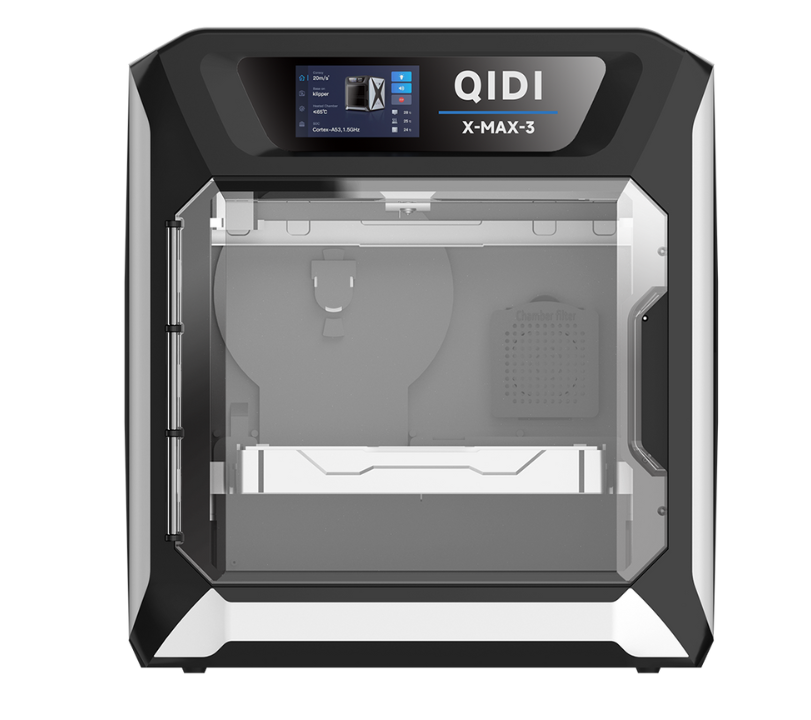
How to Select Inexpensive 3D Printers for Engineering Use
3D printing has transformed from an expensive industrial tool into an accessible technology that engineers at every level can leverage for prototyping, testing, and small-scale production. However, the sheer number of affordable options on the market creates a new challenge: finding a machine that delivers professional-grade results without draining your budget. Not every inexpensive printer can handle the demands of engineering work, where dimensional accuracy, material strength, and repeatable performance are non-negotiable. This guide helps engineers navigate that balance between cost and capability. We'll explore how to evaluate 3D printing technologies, assess precision requirements, ensure compatibility with engineering-grade materials, and identify performance features that genuinely matter for professional workflows. Whether you're building functional prototypes or producing end-use components, the right affordable printer exists—you just need to know what to look for.Understanding Engineering Needs and Inexpensive 3D Printer Viability
In the engineering context, "inexpensive" typically refers to printers that fall well below the cost of industrial-grade machines while still delivering functional results suitable for professional work. This category has expanded dramatically over the past five years as manufacturing improvements, open-source firmware development, and increased competition have driven quality upward while keeping prices accessible. What once required a five-figure investment—reliable layer adhesion, sub-millimeter accuracy, and consistent repeatability—now appears in machines costing a fraction of that amount. Engineers working in product development, mechanical design, or research labs represent the primary audience for these tools. They need printers that can produce functional prototypes for fit testing, jigs and fixtures for workshop use, or small batches of end-use parts under real-world conditions. The key principle when shopping at lower price points is straightforward: identify which features are critical for your specific applications and refuse to compromise on those, even if it means accepting trade-offs elsewhere. A cheaper printer missing automatic bed leveling is manageable; one that cannot maintain dimensional tolerance is not.Core 3D Printing Technology for Cost-Effective Engineering Solutions
The 3D printing technology you choose fundamentally shapes what's possible in your engineering workflow. At the budget level, two dominant technologies compete for attention: Fused Deposition Modeling (FDM) and Stereolithography (SLA). Each serves different engineering purposes, and understanding their trade-offs prevents costly mismatches between your needs and your machine's capabilities. FDM printers extrude thermoplastic filament layer by layer, offering broad material compatibility and larger build volumes at lower price points. SLA printers cure liquid resin with UV light, achieving superior surface finish and finer detail resolution. For engineering workflows, the technology choice should follow your primary application. If you're producing structural prototypes, mechanical fixtures, or parts that require specific thermoplastic properties, FDM provides the most versatile and economical path. If your work demands tight geometric tolerances on small, complex parts—think microfluidic channels, dental models, or intricate assemblies—SLA delivers precision that FDM struggles to match. Speed and operational costs also diverge: FDM consumables cost less and print faster for larger parts, while SLA requires post-processing but rewards you with near-injection-mold surface quality. The growing market for inexpensive 3d printers(https://qidi3d.com/collections/3d-printers )means engineers no longer need to sacrifice capability for affordability in either technology category.FDM vs. SLA: A Brief Comparison
FDM's strengths for engineers include access to functional materials like nylon, polycarbonate, and carbon-fiber composites, plus straightforward maintenance and lower per-part costs. Its weaknesses center on visible layer lines, limited resolution on fine features, and potential warping with high-temperature materials. Inexpensive FDM printers now routinely achieve 50-micron layer heights, which satisfies most mechanical prototyping needs. SLA excels in dimensional accuracy—often holding tolerances within 25 microns—and produces isotropic parts with smooth surfaces requiring minimal finishing. However, budget resin printers typically offer smaller build volumes, and engineering-grade resins with heat resistance or mechanical toughness cost significantly more than standard photopolymers. Operational considerations matter too: SLA requires ventilation, IPA washing stations, and UV curing equipment, adding hidden costs to the initial purchase. For engineers who need both capabilities, starting with an FDM machine for daily prototyping and adding an entry-level SLA printer for precision components often proves more practical than choosing one technology exclusively.Achieving High-Precision Prints on a Budget
Engineering work demands dimensional accuracy that hobbyist-grade results simply cannot satisfy. When a prototype must fit within an assembly or a fixture needs to align with machined surfaces, every tenth of a millimeter counts. The good news is that precision in affordable 3D printers has improved substantially, but you need to know where to look and what to test before committing to a purchase. Frame rigidity stands as the single most important mechanical factor influencing print accuracy. Printers built on aluminum extrusion frames with linear rails outperform those using acrylic or bent-sheet-metal construction, because vibration and flex during rapid movements translate directly into dimensional errors. When evaluating a budget printer, check whether the motion system uses linear guides rather than roller wheels on V-slot extrusions—this upgrade alone can reduce positional error by half. Nozzle design and hotend quality also matter: an all-metal hotend maintains more consistent extrusion at varying temperatures, which prevents the slight over- or under-extrusion that accumulates into measurable inaccuracy across a part. To evaluate precision before buying, look for independent reviews that include caliper measurements of printed test cubes and tolerance benchmarks. After purchase, calibrate your machine methodically: print a 20mm calibration cube, measure all axes, and adjust steps-per-millimeter values in firmware accordingly. Repeat this process after every major maintenance event. Maintaining accuracy over time requires periodic belt tension checks, lead screw lubrication, and nozzle replacement when wear becomes evident. Thermal stability helps too—printing in a room with consistent ambient temperature prevents the frame expansion and contraction that subtly shifts dimensions between prints. Engineers who establish a calibration routine and stick to it consistently extract professional-level precision from machines that cost a fraction of industrial equipment.Materials Compatibility: Engineering Plastics and Beyond
The ability to print with engineering plastics separates a useful prototyping tool from an expensive paperweight. Standard PLA works for visual models, but engineering applications demand materials that withstand mechanical stress, chemical exposure, heat, and fatigue. Before purchasing any budget printer, verify that its hardware can actually process the materials your projects require—not just in marketing claims, but in sustained, reliable operation. Printing engineering-grade filaments imposes specific hardware demands. ABS requires a heated bed reaching at least 100°C and an enclosed build chamber to prevent warping and layer delamination from thermal contraction. Nylon absorbs moisture aggressively, so consistent extrusion demands a dry-filament system or at minimum a sealed spool holder with desiccant. Carbon-fiber-reinforced filaments abrade standard brass nozzles within hours, necessitating a hardened steel or ruby-tipped nozzle. PETG needs precise retraction settings to avoid stringing but prints reliably on most heated-bed machines. Polycarbonate pushes hotend temperatures above 280°C, requiring an all-metal thermal path without PTFE in the melt zone. When assessing materials compatibility in an inexpensive printer, confirm these specifics: maximum hotend temperature, heated bed temperature ceiling, enclosure availability (stock or aftermarket), and nozzle upgrade options. Manufacturers like QIDI Tech have gained recognition among engineers for offering enclosed, high-temperature-capable machines at accessible price points, demonstrating that budget constraints no longer preclude serious material versatility.Key Engineering Plastics and Their Applications
ABS remains a workhorse for durable housings, snap-fit assemblies, and parts requiring impact resistance—anywhere you need toughness combined with moderate heat tolerance up to around 100°C. PETG bridges the gap between ease of printing and functional performance, offering excellent chemical resistance that suits laboratory equipment, fluid-handling components, and outdoor enclosures. Nylon serves applications demanding flexibility, wear resistance, and high tensile strength: gears, bushings, living hinges, and load-bearing brackets. For elevated-temperature environments like under-hood automotive components or electronics housings near heat sources, polycarbonate provides glass-transition temperatures exceeding 140°C. Carbon-fiber composites deliver exceptional stiffness-to-weight ratios for drone frames, robotic arms, and structural brackets where rigidity matters more than flexibility. Matching each material to its intended application ensures your inexpensive printer delivers parts that perform under real engineering conditions rather than merely looking correct on the build plate.Performance Enhancements: High-Speed Printing and Automatic Leveling
Engineering projects operate on deadlines, and high-speed printing capabilities can dramatically compress the iteration cycle between design revision and physical evaluation. Modern budget printers now incorporate input shaping algorithms and pressure advance firmware features that allow print speeds exceeding 200mm/s without sacrificing surface quality. These aren't gimmicks—when you're printing multiple prototype iterations in a single day, a printer that completes each part in two hours instead of six fundamentally changes your development workflow. However, speed means nothing if it introduces ringing artifacts or dimensional drift, so look for machines that pair high acceleration rates with rigid frames and quality stepper drivers capable of smooth microstepping at elevated velocities. Automatic leveling represents perhaps the most impactful quality-of-life feature for engineers who treat their printer as a production tool rather than a hobby project. A reliable auto-leveling system—whether inductive probe, strain gauge, or capacitive sensor—eliminates the tedious manual tramming process and compensates for minor bed imperfections across the entire build surface. This translates directly into consistent first-layer adhesion, which prevents failed prints and wasted material. For engineering use, prioritize printers with mesh-based leveling that samples multiple points rather than simple three-point systems, as these better accommodate the slight warpage common in aluminum build plates. When optimizing performance settings, start by running speed benchmarks with your most-used materials. Increase print speed in 20mm/s increments while monitoring part quality, and note the threshold where artifacts appear. Set your working speed 10-15% below that threshold for reliable daily operation. For automatic leveling, run the probing routine before every critical print rather than relying on stored mesh data, since thermal expansion between sessions can shift the bed profile enough to affect first-layer consistency on precision parts.Step-by-Step Guide to Selecting Your Inexpensive 3D Printer
Selecting the right budget 3D printer for engineering work becomes manageable when you follow a structured evaluation process rather than reacting to marketing claims or online hype. Start by defining your requirements concretely: list the materials you'll print most frequently, the dimensional tolerances your parts must achieve, the typical build volume you need, and how many prints per week you expect to produce. These parameters immediately narrow the field and prevent you from overspending on capabilities you won't use or underspending on features you genuinely need. Next, research models that match your requirements by consulting engineering-focused review sources rather than general consumer roundups. Compare specifications head-to-head, paying particular attention to maximum hotend temperature, bed temperature, frame construction material, motion system type, and available firmware features. Read user reviews from engineers working in similar applications—their real-world experience with dimensional consistency and material reliability matters more than manufacturer specifications. If possible, request sample prints from vendors or visit a makerspace to test candidates with your actual design files. Finally, factor in total cost of ownership: a slightly more expensive printer with hardened nozzles, enclosed chamber, and reliable auto-leveling may cost less over twelve months than a cheaper machine requiring constant upgrades and failed-print waste.Evaluation Checklist for Engineers
Before finalizing your purchase, verify each candidate against these critical criteria. Confirm dimensional precision by checking independent test results showing tolerance within ±0.1mm on calibration prints. Verify materials compatibility by ensuring the hotend reaches temperatures required for your target filaments and that heated bed and enclosure options exist. Assess speed capabilities relative to your iteration timeline—confirm the printer supports input shaping or similar compensation if advertising speeds above 150mm/s. Check that automatic leveling uses multi-point mesh probing rather than basic three-point systems. Evaluate the community and after-sales support ecosystem: active firmware development, available replacement parts, and responsive manufacturer support reduce long-term risk. A printer satisfying all these points at your budget represents a sound engineering investment.Maximizing Engineering Value From Budget 3D Printers
Selecting an inexpensive 3D printer for engineering use isn't about finding the cheapest option—it's about identifying the machine that delivers on the specific capabilities your work demands without paying for features you'll never use. The key takeaways are clear: choose your 3D printing technology based on your primary application, whether that's FDM for functional prototypes in engineering plastics or SLA for precision components with tight geometric tolerances. Prioritize frame rigidity and motion system quality over flashy specifications, because dimensional accuracy depends on mechanical fundamentals. Verify that your chosen printer genuinely supports the materials your projects require, including adequate hotend temperatures, heated bed capabilities, and enclosure options. Evaluate performance features like high-speed printing and automatic leveling based on how they'll impact your actual workflow efficiency rather than benchmark numbers alone. The affordable 3D printing landscape continues to improve rapidly, with each generation closing the gap between budget machines and industrial equipment. Engineers who apply structured evaluation criteria and invest time in calibration and material testing will find that today's inexpensive printers deliver remarkable professional value—enabling faster iteration, reduced outsourcing costs, and greater design freedom across every stage of the engineering process.You may like
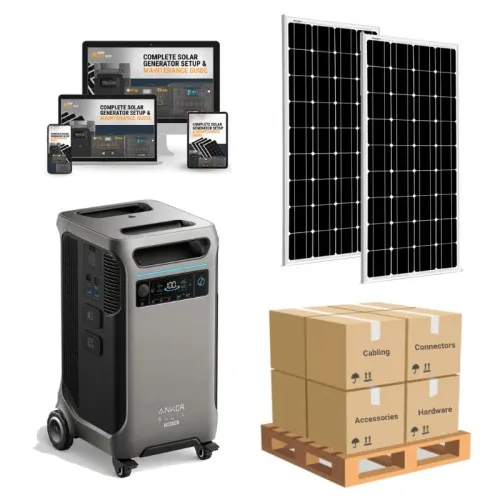
2610.00
Anker F3800 PLUS Solar Kit With Solar Panels 3,840Wh / 6,000W - BestEcoSolar
gadgets, portable power station, solar products, Custom Solar Kits For Signs, Industrial Power Station
1.00
IT Consulting in San Diego: Empowering Businesses to Thrive in a Digital World | Techgadgetblog.com
IT consulting company San Diego
Industrial automation systems are designed to operate for many years, but manufacturers often discontinue PLCs, DCS…
Industry spare parts